



How to choose a LED screen for your business?
Discover the perfect LED display solution for your project by 5 simple steps.
Projects
This is a LED display projects gallery to find out what we capable of
Feature One
Lorem ipsum dolor sit amet, consectetur adip iscing elit, sed do eiusmod tempor incididunt.
Feature Two
Feature Three
Feature Three
Lorem ipsum dolor sit amet, consectetur adip iscing elit, sed do eiusmod tempor incididunt.
Our Partners
Trusted Industry Leaders Driving Innovation Together


Why need LED screen?
Table of Contents
Overview of Different Display Technologies
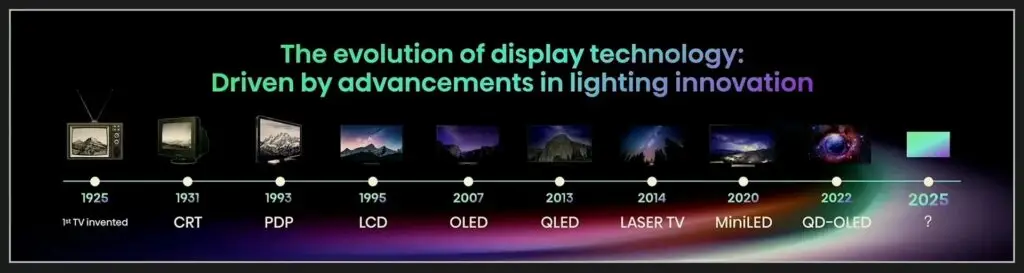
Humans are visual creatures, processing over 70% of information through sight. This is why screens are now everywhere—in our pockets, on our desks, and lighting up our cities. Whether it’s a mobile phone, a mall advertisement, or a digital road sign, displays have become our primary window for communication and human-machine interaction.
Screens vary widely in size, appearance, and specifications. But what are the different types, and how do they compare? From old-school CRT monitors to modern LED screen and RPTV (Rear-Projection TV) systems, each technology has its own pros and cons. Here is everything you need to know about these display categories and their differences.
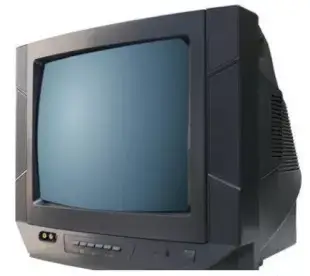
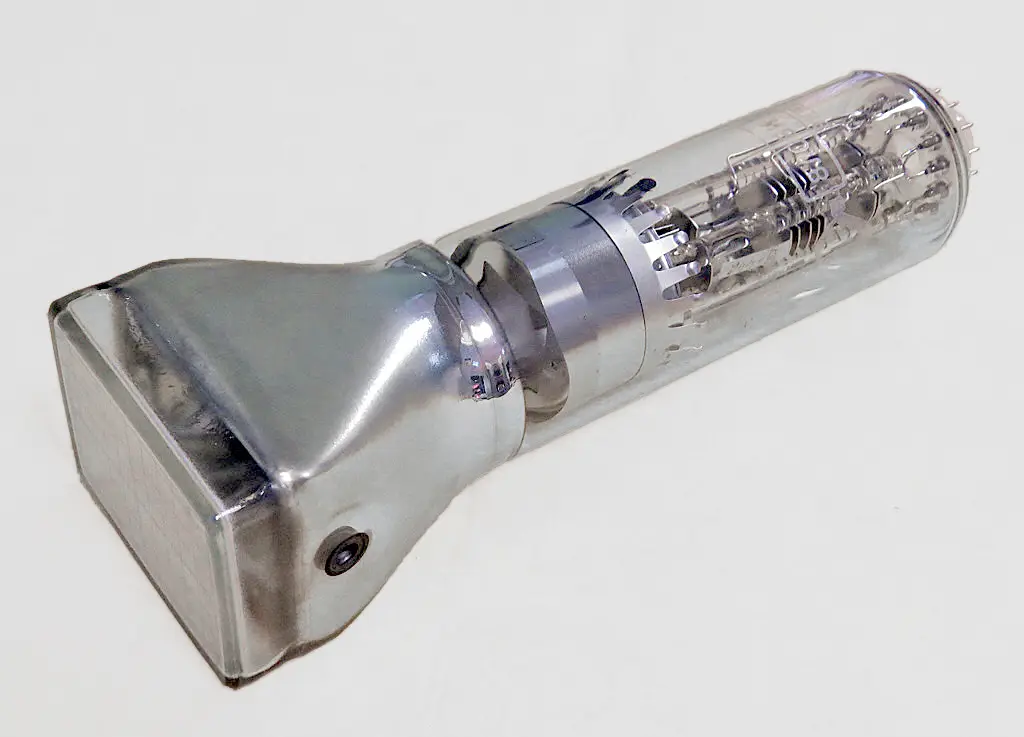
A CRT (Cathode Ray Tube) display is a classic type of monitor used in early TVs and computers. They were the pioneers of the digital age, though they weren’t exactly portable. Because of the tube technology inside, these screens were famous for being incredibly heavy and very thick.When it comes to size and weight, the difference is night and day.
A one-square-meter LED display typically weighs between 15–40 kg and is a slim 2–20 cm thick. Contrast that with an old-school 32-inch(0.7 square meters) CRT monitor : it weighs a massive 36–45 kg. In another word, if it is one-square-meter , that’s like dragging around 50–70 kg! Plus, CRTs are incredibly thick—usually 30–50 cm—because they rely on bulky vacuum tubes and electron guns that simply can’t be shrunk down. In fact, the technology was so limited that the largest CRT ever made was only 43 inches.
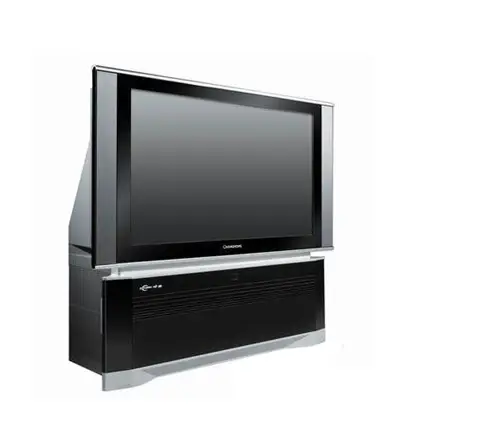
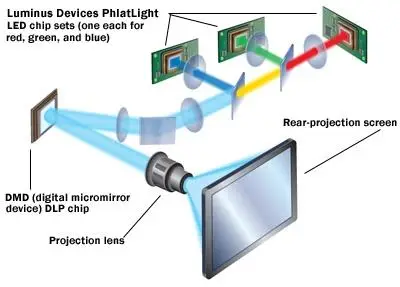
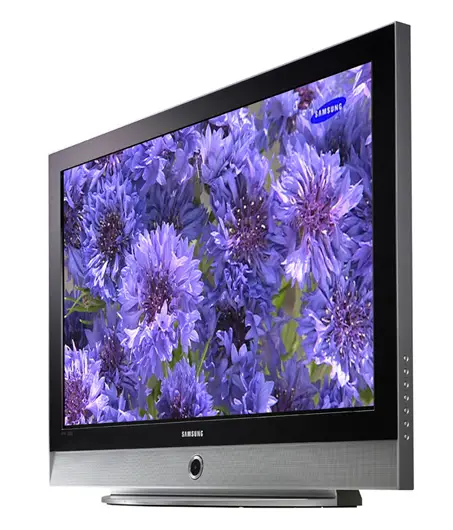
A Rear Projection Display System is an all-in-one unit that uses the principles of light projection and reflection. Unlike a standard projector that beams light onto a wall, an RPTV projects the image from behind the screen.
RPTVs made large screens possible, but they still remained deep and heavy compared to modern standards.Also the light source has a limited lifespan leading to reduced brightness and the need for frequent replacements.
The bulkiness and maintenance limitations eventually led to the rise of Flat Panel Display Technology, which finally made ultra-thin, lightweight screens a reality.
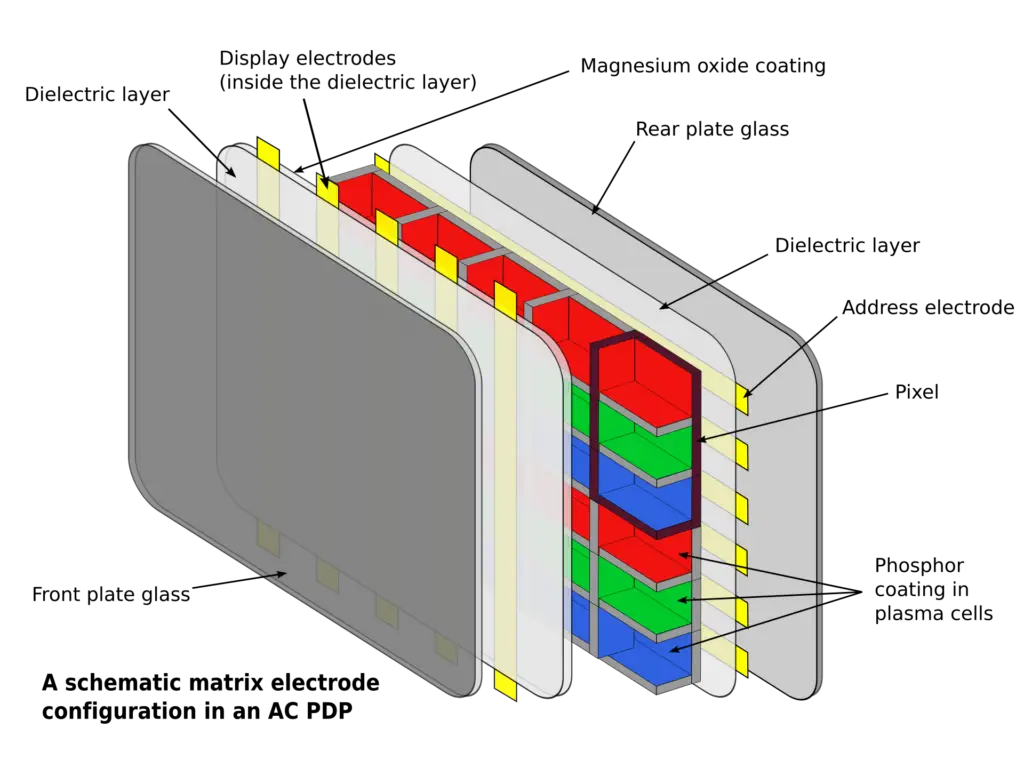
Plasma Display Screen consist of millions of pixel units filled with neon and xenon gas. Applying voltage ionizes the gas, creating UV light that excites phosphors to produce visible color. As a self-emissive tech, it offers superior contrast without a backlight.
This technology enabled the leap from bulky CRTs to thin flat-panel displays. It was the first tech to successfully mass-produce high-quality large screens (42″ to 65″+).
But since the leading manufacturers of plasma display (Panasonic, LG, Samsung) were reluctant to share patents, stifling the supply chain.Plus the technical flaws of plasma technology originally like high heat, heavy power consumption, ,“burn-in” (ghost images left on the screen) and increasing pixel density for 4K and 8K was much harder and more expensive for Plasma than for LCD.
Plasma ultimately lost to LCD gradually.
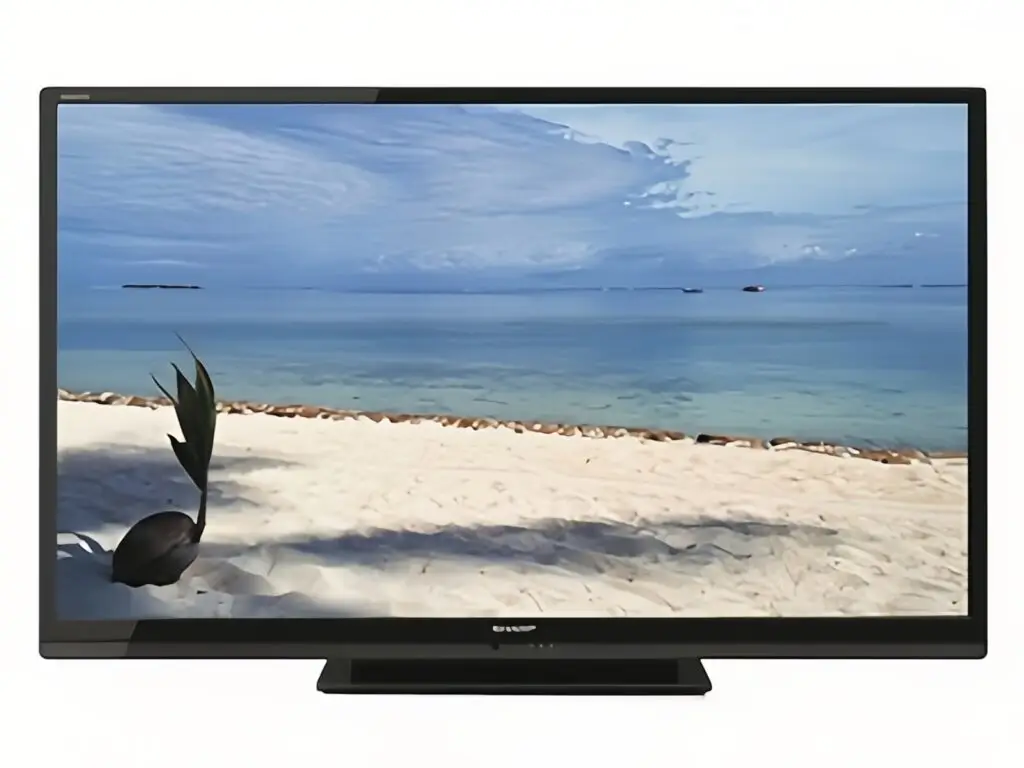
An LCD screen works like a tiny light valve. Behind the glass, a backlight shines constantly. In front of it, millions of liquid crystals act like mini shutters—when electricity hits them, they twist to let light pass or block it. Each crystal controls one pixel, twisting in just 2–4 milliseconds to create sharp images. The result? A crisp picture with 1000:1 contrast ratio, wide viewing angles up to 178°, and smooth motion at 60–144 Hz refresh rates. That’s how your laptop or TV shows everything from spreadsheets to movies.
What is LED Display?
An LED display is a flat-panel screen made up of thousands of light-emitting diodes (LEDs). Thousands of red, green, and blue (RGB) LEDs are arranged in a grid. Each LED is a tiny light source can independently produce red, green, or blue light. By controlling the brightness and color of each LED, you can mix them together to create any color you want.Then the screen shows text, images, and videos.A driver circuit controls the brightness and color of each LED. Because the human eye cannot see very fast changes, the screen refreshes rapidly to create smooth video.
Types of LED Displays
There are many types of LED displays. They can be grouped by environment (indoor vs. outdoor), pixel pitch (regular vs. fine pitch), and shape (standard, transparent, flexible, floor tile). Let’s look at each.
Indoor LED displays are used in shopping malls, meeting rooms, TV studios, and exhibition halls.
Features: small pixel pitch (P0.9–P2.5), moderate brightness (600–1,500 nits), fine image quality. Since viewers sit close, high pixel density is important.
Outdoor LED displays are used for billboards, stadiums, and building facades. Features: high brightness (5,500–10,000 nits), high protection rating (IP65 or above), strong cabinets to handle sun, rain, and wind. Pixel pitch is usually larger (P4–P10).
Fine-Pitch/Small-pitch LED refers to screens with pixel pitch less than P2.5. Used in control rooms, broadcast studios, and high-end meeting rooms where viewers sit close. Benefits: seamless splicing, ultra-high resolution, near-LCD image quality.
Transparent LED screens are mounted on glass windows. They have gaps between LED strips so people can see through them. Used for storefronts, building facades, and elevator lobbies. They combine advertising with natural light.
Flexible LED screens use soft PCB boards and bendable materials. They can be curved into arcs, cylinders, or wave shapes. Perfect for creative stage backgrounds and art installations.
Floor screens (also called interactive floor tiles) can withstand people walking on them. Some have pressure sensors or infrared sensors for interaction. Used in science museums, amusement parks, and brand experience stores.
LED Display vs. LCD, OLED, and Projector
Feature | LED Display | LCD Display | OLED Display | Projector |
|---|---|---|---|---|
Light source | Self-emissive (LEDs) | Backlight + liquid crystal | Self-emissive (organic material) | Lamp / laser projection |
Brightness | Very high (600–10,000 nits) | Medium (300–800 nits) | Medium (400–800 nits) | Affected by ambient light |
Contrast ratio | High | Average | Extremely high (true black) | Average |
Seamless splicing | Yes, no gaps | Has bezels/gaps | Can be spliced but has gaps | Single image |
Maximum size | Almost unlimited | Limited by panel (~110 inches) | Limited by panel (~88 inches) | Depends on distance |
Lifespan | 100,000+ hours | 50,000–80,000 hours | 30,000–50,000 hours (burn-in risk) | Short lamp life |
Power consumption | Higher | Medium | Lower | Lower |
Best for | Large screens, outdoor, stages, control rooms | Home TVs, computer monitors | High-end phones, TVs | Home theater, meetings |
Quick Summary:
- LED vs LCD: If you need a huge screen, outdoor use, or seamless splicing, LED wins. For home TV, LCD is cheaper and good enough.
- LED vs OLED: OLED has better colors and deeper blacks, but shorter life, higher cost, and limited size. LED is better for commercial large screens and outdoor use.
- LED vs Projector: Projectors work in dark rooms for temporary use. LED screens are bright, unaffected by ambient light, and built for permanent installation.
Why You Need an LED Display?
High Brightness: Perfect clarity in any environment.The outdoor LED displays can reach brightness of 5,000 to 10,000 nits, it can still stay crystal clear even under 15,000 lux of direct sunlight. A simple rule of thumb for great visibility is that your screen brightness (measured in nits or cd/㎡) should be at least double the surrounding ambient light (measured in lux). For example, in a typical living room with about 200–250 lux of light, you’ll want a screen that hits at least 500 nits. This is where indoor LED displays really shine—most offer 600 to 1,000 nits, making them far superior to projectors and standard monitors.
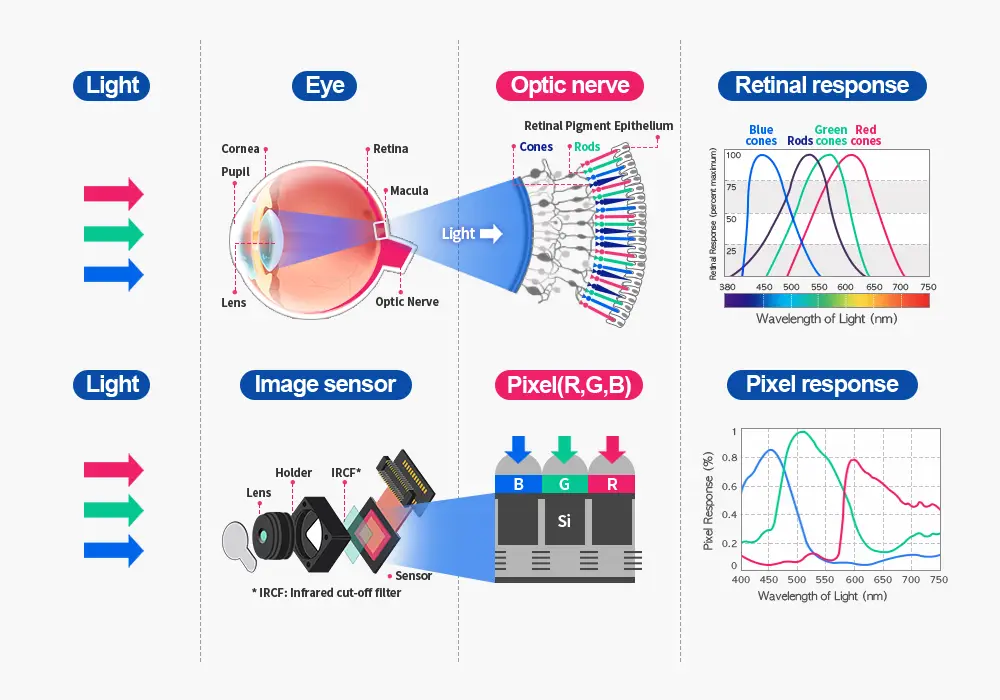
Stunning Color & Contrast: Knowing how the images/light reaches your eyes. LCDs use a backlight that shines through a panel, while projectors rely on light reflecting off a wall or screen. LED displays, however, are self-emissive—they create their own images directly. This results in much richer colors and deeper contrast. Projectors and LCDs usually range from 6-bit to 12-bit color, LED screens use 16-bit grayscale processing. This means they can show over 280 trillion colors, creating incredibly smooth gradients, brighter highlights, and shadows that don’t lose their detail.
Lower Energy Bills: By using light sensors, the screen automatically adjusts its brightness to match the weather—whether it’s sunny, cloudy, or rainy. It even transitions seamlessly between day and night. This doesn’t just give you a better view; it also helps you cut down on energy bills and reduce your environmental footprint.
Long Lifespan: A longer lifespan means fewer replacements and less maintenance.LED displays deliver a lifespan of 100,000 hours (over 11 years of continuous use), with ≥95% brightness retention after 10,000 hours and L70 decay reached only after 50,000–80,000 hours. Backed by a 5‑year warranty and a pixel failure rate below 0.001% per year, they ensure long‑term reliability and lower total cost of ownership for any application.
Fits Any Space: The modular design (can be joined together to make any size) shape to fit your needs.Popular LED module sizes on the market include 250×250 mm, 320×160 mm, 300×168.75 mm, and 240×120 mm etc.If these sizes don’t exactly match your requirements, custom LED module sizes can be tailored to fit your specific needs.
Works Anywhere: Perfect for both indoor and outdoor settings, no matter the environment.
Price advantage:Simple rule: under 100 inches, LCD costs less. Above 100 inches, LED saves you more—bigger screens mean lower cost per inch, plus a 100,000-hour lifespan. For large displays, LED is the smarter deal.
Buying Guide: How to Choose the Right LED Display for Your Needs?
Why Choosing the Right LED Display Matters
- Poor image quality hurts your brand image.
- Early LED decay leads to high repair costs.
- Safety and compliance risks.
- Total cost much higher than your budget.
Step 1: Know Your Application
Indoor LED Displays
Used in meeting rooms, retail stores, shopping malls, churches, exhibition halls, TV studios, and control rooms. Indoor screens need fine/small pixel pitch, good image quality, lower brightness (600–1,200 nits), and thin cabinets.
Outdoor LED Displays
Used for digital billboards, highway ads, stadiums, transit hubs, and building facades. Outdoor screens must handle sunlight, rain, dust, and temperature changes. They need high brightness (5,500–10,000 nits) and waterproof protection (IP65 or above).
Rental / Event LED Displays
Used for concerts, festivals, exhibitions, and live events. These use die-cast aluminum cabinets with quick locks, high refresh rates (≥3,840 Hz), and lightweight designs for fast setup and takedown.
Transparent & Creative LED Displays
Step 2: Pick the Right Pixel Pitch for Your Viewing Distance
Pixel Pitch | Best Viewing Distance | Typical Use |
|---|---|---|
P0.9 – P1.2 | 1 – 2.5 m | Control rooms, studios, VIP areas |
P1.5 – P2.0 | 1.5 – 3.5 m | Lobbies, meeting rooms, showrooms |
P2.5 – P3.0 | 2.5 – 5 m | Halls, medium stages, exhibits |
P3.9 – P4.8 | 4 – 8 m | Large stages, malls, events |
P6 – P10 | 8 – 20 m+ | Outdoor, facades, billboards |
Choosing a pixel pitch that is too small adds cost but gives no visible benefit at your real viewing distance. Always match the pitch to where your audience stands.
Step 3: Choose the Right Brightness (Nits) for Your Environment
- Indoor LED display: 600–1,200 nits (up to 1,500 nits for bright rooms)
- Semi-outdoor display: 2,000–3,500 nits
- Outdoor LED billboard: 5,500–10,000 nits
Too much brightness indoors makes eyes tired and speeds up LED aging. Outdoor screens should have auto brightness adjustment to save power and reduce light pollution.
Step 4: Don’t Forget Refresh Rate and Grayscale
- Standard commercial use: ≥ 1,920 Hz
- High-end advertising: ≥ 3,840 Hz
- TV studios and live broadcasts: ≥7,680 Hz
Higher grayscale (≥ 14-bit, ideally 16-bit) gives smoother color changes and more natural gradients. These matter a lot for broadcast, photography, and video recording.
Step 5: Check IP Rating and Environmental Protection
Step 6: Choose Cabinet Material and Maintenance Method
- Steel cabinets: Low cost, strong, good for fixed installations
- Die-cast aluminum: Lightweight, good heat dissipation, high precision — perfect for rental LED displays
- Front maintenance: Good for wall-mounted screens, saves space; best for malls, retail stores, airports, and building facades
- Rear maintenance: Lower initial cost; good for billboards, stadiums, and pole-mounted screens
Step 7: Understand LED Package Technology
- SMD (Surface-Mount Device): Most common, works for almost all indoor and outdoor uses.
- COB (Chip on Board): Better uniformity, protected surface, higher contrast — becoming popular for fine-pitch indoor use like control rooms and studios
- GOB: Extra durability and impact resistance.
Step 8: Think About Total Cost of Ownership, Not Just Price
- Energy use (power efficiency ≥ 85% saves a lot on electricity over time)
- Maintenance (usually 1–3% of hardware value each year)
- Expected life (good displays last 100,000+ hours)
Step 9: Check Your Supplier Carefully
The supplier has its own factory and does aging-testing.
At least 3 similar successful projects in your field.
Full certifications (CE, FCC, RoHS).
2 year warranty on main parts, with spare parts included.
Local support: 24-hour response, spare parts stock, regular service.
Professional installation and control system help.
Common Buying Mistakes to Avoid
- Only looking at price – the lowest quote often means lower quality chips or shorter warranty.
- Ignoring viewing distance – buying the smallest pitch without checking where people stand wastes money.
- Skipping IP rating for outdoor screens – without good protection, rain and dust get inside quickly.
- Not asking about delivery time – customized sizes and irregular shape take longer; unclear schedules can cause missed deadlines.
LED Display Selection Quick Reference
Factor | Indoor | Outdoor |
|---|---|---|
Pixel Pitch | P0.9 – P2.5 | P4 – P10 |
Brightness | 600–1,500 nits | 5,500–10,000 nits |
IP Rating | IP30/IP40 | IP65 or higher |
Cabinet Material | Die-cast aluminum steel or reinforced plastic | Steel or die-cast aluminum (anti-corrosion) |
Maintenance | Front maintenance preferred | Rear or front maintenance both OK |
Refresh Rate | ≥3,840 Hz | ≥1,920 Hz |
Main Uses | Meeting rooms, malls, studios, control rooms | Billboards, stadiums, facades, transit hubs |
Frequently Asked Questions (FAQ)
XXXXXX